
About This Holiday Lighting Guide
Prepared by: Holiday Illumination Christmas Light Installation
Last updated: September 3, 2026
Quick Answer
Permanent lighting app controls in Atlanta should be evaluated as part of the system selection, not after the roofline installation is finished. The controller and app determine how easily users can change colors, create scenes, schedule lighting, and manage the system throughout the year.
Because features vary by product, customers should confirm the exact capabilities of the proposed system. A demonstration or documented feature list is more reliable than assuming every permanent-lighting app offers the same scenes, zones, schedules, or connectivity.
Key Takeaways
- List the scenes and schedules you actually expect to use. Decide whether you want simple holiday colors, recurring weekly schedules, special-event scenes, team colors, accent lighting, or other year-round uses. This keeps the app comparison focused on real…
- Confirm controller and connectivity requirements. Ask where the controller will be installed, what power it needs, whether Wi-Fi or another connection is required, and what happens if the network is unavailable. The physical…
- Understand zones and user access. If the roofline has multiple areas, confirm whether sections can be controlled independently and how many household or property users can access the system. Commercial properties may also…
- Verify update and support expectations. Ask how app updates, controller resets, replacement parts, account recovery, and support are handled. The system should remain manageable after the initial installer walkthrough.
Confirm the Controls Available on the Actual System
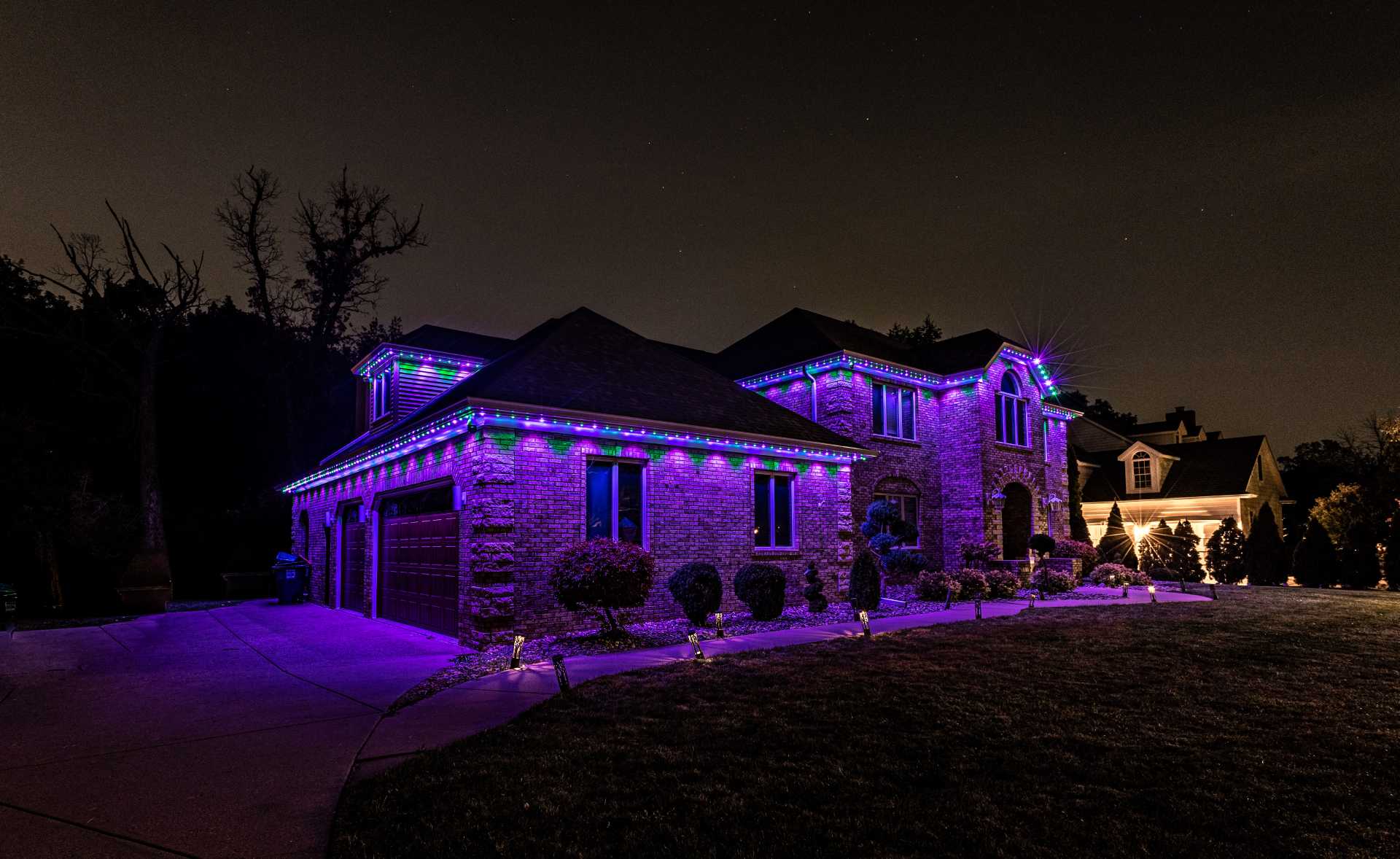
Permanent lighting can use app-based controls to change colors and scenes, but exact features depend on the installed system. The estimate should confirm the available controller, color modes, scheduling options, and any connectivity requirements before installation.
Plan Everyday and Seasonal Uses Before the Roofline Is Installed
Customers may want one look for Christmas and different color scenes for other holidays, special occasions, or game-day themes. Defining the expected uses early helps determine whether permanent lighting is a better fit than a seasonal display.
Keep Control Hardware and Power Access in the Installation Plan
Controller placement, electrical access, exterior exposure, and the way the lighting is divided into controllable sections can affect usability. Those details should be reviewed on the actual property instead of being assumed from a generic app screenshot.
Step-by-Step Planning Framework
List the scenes and schedules you actually expect to use
Decide whether you want simple holiday colors, recurring weekly schedules, special-event scenes, team colors, accent lighting, or other year-round uses. This keeps the app comparison focused on real needs.
Confirm controller and connectivity requirements
Ask where the controller will be installed, what power it needs, whether Wi-Fi or another connection is required, and what happens if the network is unavailable. The physical controller location should also make sense for service access.
Understand zones and user access
If the roofline has multiple areas, confirm whether sections can be controlled independently and how many household or property users can access the system. Commercial properties may also need a clear primary administrator.
Verify update and support expectations
Ask how app updates, controller resets, replacement parts, account recovery, and support are handled. The system should remain manageable after the initial installer walkthrough.
Common Mistakes to Avoid
- Assuming every permanent-lighting app supports the same color modes, zones, and schedules.
- Installing a controller without considering signal quality, service access, or the property network.
- Buying advanced controls that the household or property team is unlikely to use.
- Failing to document login ownership, user access, or recovery information for a managed property.
The purpose of this checklist is to make the scope clearer before installation. It also makes estimates easier to compare because design, access, service, removal, and property constraints are documented instead of assumed.
Frequently Asked Questions
Can permanent lights be scheduled automatically?
Many systems support schedules, but the exact timing, recurring options, and automation features depend on the installed product and app. Confirm them before installation.
Do permanent lights require Wi-Fi?
Some systems use Wi-Fi or another connectivity method for app control. The specific requirement, controller range, and offline behavior should be confirmed for the proposed system.
Can different roofline sections show different colors?
Some systems support zones or segmented control, while others may be more limited. Ask for the exact zoning capability of the system being quoted.
Who should own the app account on a commercial property?
A designated manager or authorized property contact should control the account and document access so future staff changes do not leave the system without an administrator.
Related Holiday Lighting Services & Resources
Permanent Lighting · Free Quote · Christmas Light Installation Atlanta · Holiday Lighting Resources · Request a Free Estimate
Plan the Next Step for Your Property
Use this guide to narrow the design, timing, access, and seasonal-service questions that matter for your property. When you are ready, request a property-specific estimate so Holiday Illumination can confirm the exact scope, availability, installation requirements, in-season support, takedown, and storage options that apply to the address.